
Closed captions make videos easier to follow by showing spoken words and important sounds as text on the screen.
They are useful for people who are deaf or hard of hearing, but they also help many other viewers.
Someone may be watching a video in a noisy place, studying a new language, using a phone without sound, or simply trying to understand every word.
In 2026, closed captions are common across YouTube, TikTok, Instagram, streaming services, online courses, meetings, and business videos.
They can also make video content easier to search, understand, and reuse.
This guide explains what closed captions are, how they work, how they differ from subtitles, where to use them, and how to create accurate captions that feel natural and easy to read.
What Are Closed Captions?
Closed captions are text displayed on a video that represents the spoken dialogue and, when useful, important sounds. The word “closed” means viewers can turn them on or off instead of having them permanently placed on the video.
Captions can include more than spoken words. They may identify speakers or describe sounds that matter to the story.
- 🗣️ Spoken dialogue can appear as text.
- 🔊 Important sounds can be described.
- 👤 Different speakers can be identified.
- 🎵 Music or meaningful audio may be noted.
- 📺 Viewers can usually turn captions on or off.
- ♿ They improve accessibility for many viewers.
- 📱 They work well on phones and computers.
- 🎓 They can support learning and understanding.
For example, a caption might show:
[doorbell rings]
followed by:
“I’ll get it!”
This gives the viewer information that could otherwise be missed.
How Closed Captions Work
Closed captions are normally created from a video’s audio. A caption file contains the words and timing information that tells the video player when each line should appear and disappear.
Captions can be created manually, automatically, or through a combination of both.
- 🎙️ Audio is converted into text.
- ⏱️ Text is matched to the video timing.
- ✍️ Errors are corrected when needed.
- 👥 Speakers can be identified.
- 🔊 Important sounds can be added.
- 📄 Caption files can be exported.
- 📺 A video player displays the captions.
- ✅ The final captions should be reviewed for accuracy.
Automatic speech recognition has made caption creation much faster. However, automated captions can still make mistakes with names, accents, technical terms, background noise, or unclear speech.
For important videos, human review remains valuable.
Closed Captions vs. Subtitles
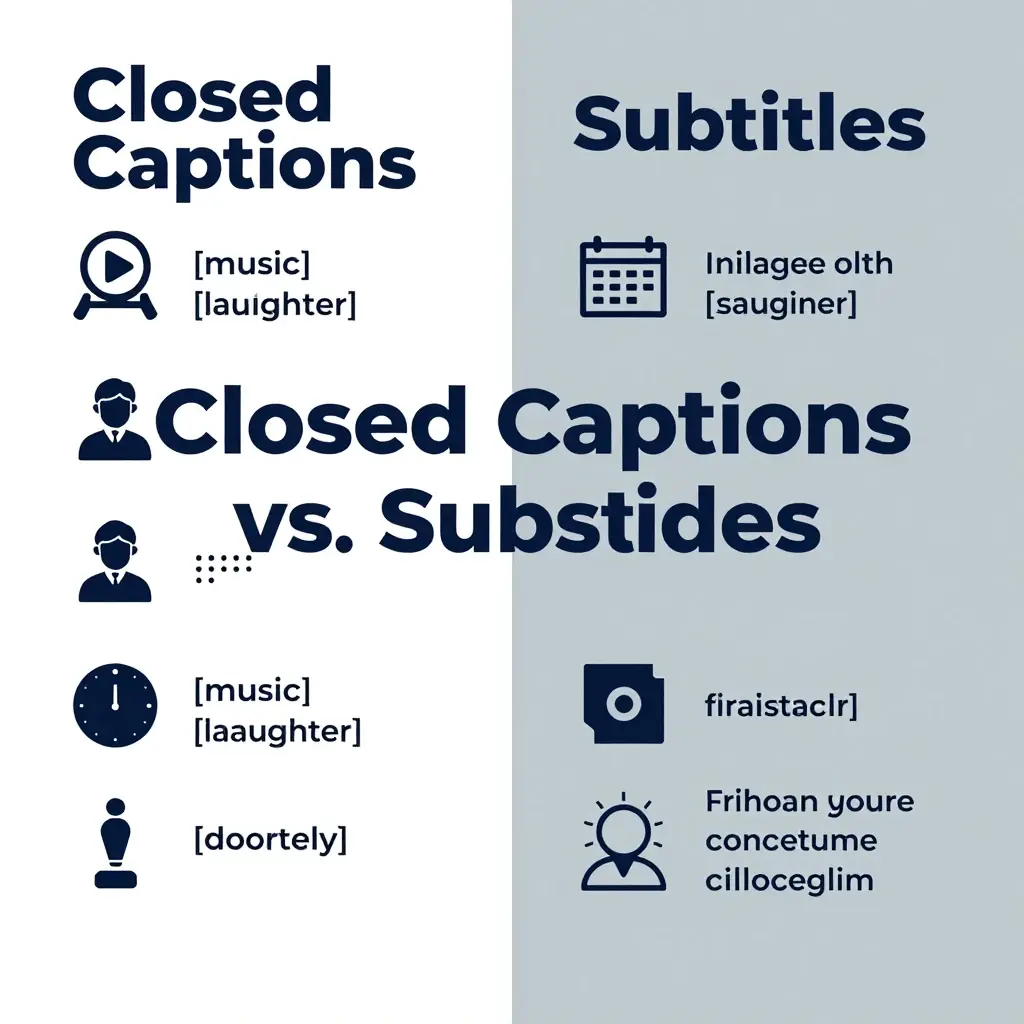
Closed captions and subtitles are related, but they aren’t always designed for the same purpose.
Subtitles generally focus on spoken dialogue, often helping viewers understand a language they may not speak. Closed captions can also include relevant non-speech sounds and speaker information.
- 🗣️ Captions can include dialogue and sounds.
- 🌍 Subtitles often focus on spoken language.
- 🔊 Captions may describe important audio.
- 👤 Captions can identify speakers.
- 📺 Both can appear as text on video.
- 🎬 Both support better understanding.
- 📱 Both are common on digital platforms.
- 🎯 The best choice depends on the audience.
The distinction isn’t always strict. Different platforms and organizations may use the terms differently.
For accessibility, captions should provide enough information for someone who cannot hear the audio to understand the important parts of the video.
Why Closed Captions Matter
Closed captions are more than a convenience. They help make digital video content accessible to a wider audience.
They can also improve the viewing experience for people who don’t have hearing difficulties.
- ♿ They support deaf and hard-of-hearing viewers.
- 🔇 They help when sound isn’t available.
- 🌎 They can support language learners.
- 🎓 They can help students follow lessons.
- 📱 They work well in public places.
- 👀 They help viewers follow unclear audio.
- 💼 They improve access to business content.
- ❤️ They create a more inclusive experience.
Imagine watching a video on a train with no headphones. Captions let you follow along without turning the sound on.
That simple use case shows why captions have become such an important part of online video.
Benefits of Closed Captions for Social Media
Social media users often watch videos in places where audio isn’t convenient. Captions allow the message to remain understandable even when the sound is off.
This is especially useful for short-form videos and educational content.
- 📱 They make silent viewing easier.
- 👀 They help viewers understand the opening seconds.
- 🗣️ They make spoken content easier to follow.
- 🌍 They can support broader audiences.
- 🎓 They help explain educational videos.
- 😂 They can improve understanding of jokes.
- 🎥 They add context to short videos.
- ❤️ They make content more accessible.
Captions shouldn’t be added only because they’re trendy. They should accurately represent what the viewer needs to understand.
For creators, accurate captions can also make a video feel more polished and professional.
Closed Captions for YouTube
YouTube supports captions across many types of videos, including tutorials, interviews, entertainment, education, reviews, and livestream-related content.
Creators can use automatic captions, upload caption files, or make edits through available caption tools.
- ▶️ Useful for tutorials and explainers.
- 🎓 Helpful for educational videos.
- 🎙️ Useful for interviews and podcasts.
- 🌎 Helpful for international audiences.
- 🔇 Works for viewers watching without sound.
- 📝 Creators can review caption text.
- 👤 Speakers can be clarified when needed.
- 🔎 Clear transcripts can improve accessibility and context.
Automatic captions can save time, but they should be checked when accuracy matters.
Names, product terms, places, numbers, and industry language deserve particular attention.
Closed Captions for TikTok and Instagram
Short-form video has changed how people consume content. Many viewers scroll quickly, often without sound, which makes readable on-screen text useful.
Captions can help communicate the point of a video even when the viewer isn’t listening to the audio.
- 📱 Useful for short videos.
- 🎥 Good for tutorials and demonstrations.
- 😂 Helpful for spoken jokes.
- 🗣️ Makes dialogue easier to follow.
- 🔇 Supports sound-off viewing.
- ✨ Can improve visual clarity.
- 👀 Helps viewers follow fast speech.
- 🌍 Makes content more accessible.
Don’t make captions so large or crowded that they hide the important part of the video.
Good caption design should help the viewer rather than compete with the content.
Closed Captions for Online Courses
Online learning can be difficult when students miss a word or struggle with unclear audio. Captions give learners another way to process the lesson.
They can be especially useful for technical courses, lectures, demonstrations, and recorded classes.
- 🎓 Help students follow lessons.
- 📚 Support review and studying.
- 🔊 Help with unclear audio.
- 🌎 Support learners from different backgrounds.
- 📝 Make spoken explanations easier to revisit.
- 👀 Give learners visual reinforcement.
- 💻 Work well with recorded classes.
- ♿ Improve accessibility.
For educational content, accuracy is especially important.
A small caption error can change the meaning of a technical term, formula, name, or instruction.
Closed Captions for Business Videos
Businesses use video for training, meetings, marketing, customer support, product demonstrations, and internal communication.
Captions can make these videos easier for employees and customers to access.
- 💼 Useful for employee training.
- 🎥 Support product demonstrations.
- 📣 Improve marketing accessibility.
- 🧑💻 Help remote teams follow recordings.
- 📚 Support internal learning.
- 🌎 Help global teams understand content.
- 🔇 Allow quiet viewing.
- ♿ Support accessible communication.
Professional captions should use correct names, terminology, numbers, and company language.
A polished caption file can also make a video easier to repurpose into written content, summaries, or transcripts.
How to Create Closed Captions
Creating captions can be simple for a short video and more involved for a long production.
The basic process is to transcribe the audio, synchronize the words with the video, add important sound information, and review the result.
- 🎙️ Start with clear audio.
- 📝 Create a transcript.
- ⏱️ Sync text with speech.
- 👤 Identify speakers when useful.
- 🔊 Add meaningful sound descriptions.
- ✂️ Break text into readable chunks.
- 🔍 Check names and technical words.
- ✅ Watch the finished video before publishing.
For short videos, automatic captioning can be a fast starting point.
For professional or accessibility-critical content, review every line rather than assuming the automated transcript is correct.
Best Practices for Writing Closed Captions
Good captions are easy to read without distracting viewers from the video.
Don’t put too many words on the screen at once. Break longer speech into natural chunks.
- 👀 Keep lines easy to scan.
- 📝 Use accurate wording.
- ⏱️ Match captions to the speaker.
- 🗣️ Keep the speaker’s meaning intact.
- 🔊 Include important sounds.
- ✂️ Avoid unnecessary text blocks.
- 🎯 Use punctuation clearly.
- 📱 Check how captions look on small screens.
Caption readability matters because viewers have limited time to read each line.
If the text appears too quickly, viewers may miss it. If it stays too long, it may feel disconnected from the speech.
Closed Caption Accessibility
Accessibility is one of the most important reasons to use captions. People experience video in different ways, and captions can remove barriers for viewers who cannot hear the audio clearly or at all.
Accessible captions should represent the meaningful audio information needed to understand the content.
- ♿ Support deaf and hard-of-hearing viewers.
- 🔊 Represent important audio information.
- 👤 Identify speakers when unclear.
- 🎵 Describe meaningful music or sounds.
- 📝 Use readable text.
- ⏱️ Keep timing synchronized.
- 👀 Avoid covering essential visual information.
- ❤️ Design for real people, not just technical compliance.
Accessibility isn’t only about checking a box.
It’s about making sure people can actually understand and use the content.
Automatic Closed Captions
Automatic captions use speech recognition technology to create text from audio. They’re fast and useful, especially when a creator needs a starting point.
But automatic captions aren’t perfect.
- 🤖 They can save production time.
- 🎙️ They work best with clear speech.
- 🔊 Background noise can reduce accuracy.
- 🗣️ Accents can affect recognition.
- 👤 Names may be transcribed incorrectly.
- 📚 Technical words can cause errors.
- 🔍 Human review can catch mistakes.
- ✅ Important videos should be checked carefully.
Think of automatic captions as a draft rather than an unquestionable final version.
A quick review can fix errors that would otherwise make the video confusing or unprofessional.
Closed Caption File Formats
Caption files store text and timing information. Different video platforms and editing programs support different formats.
Common caption formats include SRT, WebVTT, and TTML.
- 📄 SRT is widely used.
- 🌐 WebVTT is common for web video.
- 🎬 TTML is used in some professional workflows.
- ⏱️ Files contain timing information.
- 📝 Files contain caption text.
- 👤 Some formats support speaker information.
- 🔊 Some workflows support sound descriptions.
- 💻 The right format depends on the platform.
Before exporting a caption file, check the requirements of the platform where the video will be published.
Using the correct format helps avoid upload problems and display issues.
Closed Captions for Streaming and Movies
Streaming platforms rely heavily on captions and subtitles because audiences watch content in many environments and languages.
Captions can help viewers understand dialogue, background sounds, music cues, and other important audio information.
- 🎬 Useful for movies.
- 📺 Useful for television shows.
- 🔊 Can represent important sounds.
- 👤 Can identify speakers.
- 🌎 Support diverse audiences.
- 🔇 Help when viewers can’t use audio.
- 🎧 Useful with difficult-to-hear dialogue.
- ♿ Improve accessibility.
For professional entertainment, caption quality matters greatly.
Timing, punctuation, speaker changes, sound descriptions, and readability all affect the viewing experience.
Closed Captions vs. Open Captions
Closed captions can be turned on or off. Open captions are permanently visible because they’re part of the video itself.
Each option has situations where it can be useful.
- 📺 Closed captions can usually be toggled.
- 🔒 Open captions stay visible.
- 🎥 Open captions are embedded in the video.
- 📱 Open captions can work across many platforms.
- ♿ Both can support accessibility.
- 🔇 Both help viewers without sound.
- 🎨 Open captions allow direct visual styling.
- 🎯 Choose based on the content and audience.
For social media videos, creators sometimes use open captions because they want text visible immediately.
For platforms with built-in accessibility features, closed captions can provide viewers with more control.
How to Improve Caption Accuracy
Accuracy is one of the most important parts of caption quality. Even a small mistake can change the meaning of a sentence.
Review captions after automatic generation, especially when the video contains names, numbers, slang, or technical language.
- 🔍 Check every important name.
- 🔢 Verify numbers and dates.
- 📚 Check technical terms.
- 🗣️ Review unclear speech.
- 🎵 Check sound descriptions.
- 👤 Confirm speaker labels.
- ⏱️ Watch caption timing.
- ✅ Read captions while watching the video.
Don’t proofread captions only as a block of text.
Watch the actual video while reviewing them. This helps you notice timing problems that aren’t obvious from the transcript alone.
Closed Captions in 2026
Video continues to play a major role in social media, education, business, entertainment, and online communication. As more people watch videos across phones, laptops, tablets, and public spaces, captions remain a practical part of modern content.
AI-powered transcription is making caption production faster, but speed doesn’t replace quality control.
- 🤖 AI can speed up transcription.
- 🎥 Video content continues to grow.
- 📱 Mobile viewing remains important.
- ♿ Accessibility remains a core need.
- 🌎 Audiences are increasingly global.
- 🗣️ Speech recognition keeps improving.
- 🔍 Searchable video content benefits from clear language.
- ❤️ Human review still matters for quality.
The best approach in 2026 is not simply “use AI.”
It’s use automation where it helps, then review the result like an editor.
That balance gives creators speed without sacrificing accuracy.
FAQs:
What are closed captions?
Closed captions are text versions of spoken dialogue and relevant sounds in a video. Viewers can usually turn them on or off.
What is the difference between closed captions and subtitles?
Closed captions can include dialogue plus important sounds and speaker information. Subtitles generally focus on spoken dialogue, often for viewers who don’t understand the language being spoken.
Why are closed captions important?
They improve accessibility and help people understand videos when they cannot hear the audio, are watching without sound, or need additional help following the dialogue.
Can closed captions be generated automatically?
Yes. Many modern video platforms and captioning tools can generate captions automatically using speech recognition. They should be reviewed for accuracy.
What file format is best for closed captions?
There isn’t one universal format. SRT and WebVTT are common choices, but the correct format depends on the video platform or software you’re using.
Do closed captions include sounds?
They can. Important sounds may be included when they help a viewer understand what is happening, such as [door closes], [applause], or [music playing].
Are closed captions good for social media?
Yes. They can make short videos easier to understand when viewers watch without sound and can improve accessibility for a wider audience.
Can captions help with video SEO?
Captions and transcripts can provide useful textual context around video content, but they aren’t a guaranteed ranking factor. Clear, relevant, helpful video content remains the priority.
Conclusion:
Closed captions make video content easier to access, understand, and enjoy. They help deaf and hard-of-hearing viewers, people watching without sound, language learners, students, employees, and anyone dealing with unclear audio.
Creating captions has also become easier. Automatic speech recognition can produce a fast first draft, while human review can improve accuracy and readability.
The most useful captions are not simply words placed on a screen. They’re carefully timed, easy to read, accurate, and complete enough to communicate the important audio information.
Whether you’re creating a YouTube tutorial, TikTok video, Instagram Reel, online course, business presentation, podcast clip, or movie, captions can make the experience better for more people.
In 2026, the smartest caption workflow is simple:
Create quickly. Review carefully. Keep it readable. Make it accessible.
That’s what turns basic text into truly useful closed captions.

Lauren Merritt is a digital content writer with 16 years of experience creating friendly and practical captions for a variety of social occasions.